What’s New?
- Added a new “Load on user interaction”toggle insideChat Widget > Chat Window tab > Additional Options.
- When enabled, the chat widget delays loading until the visitor interacts with the website.
- Helps improve initial website performance and reduce unnecessary widget load during page rendering.
- Default behaviour remains unchanged for existing widgets unless the toggle is enabled manually.
How It Works:
- Navigate to Sites > Chat Widget Builder.
- Open the Chat Window tabof the specific chat widget.
- Under Additional Options, enable the new “Load on user interaction” toggle.
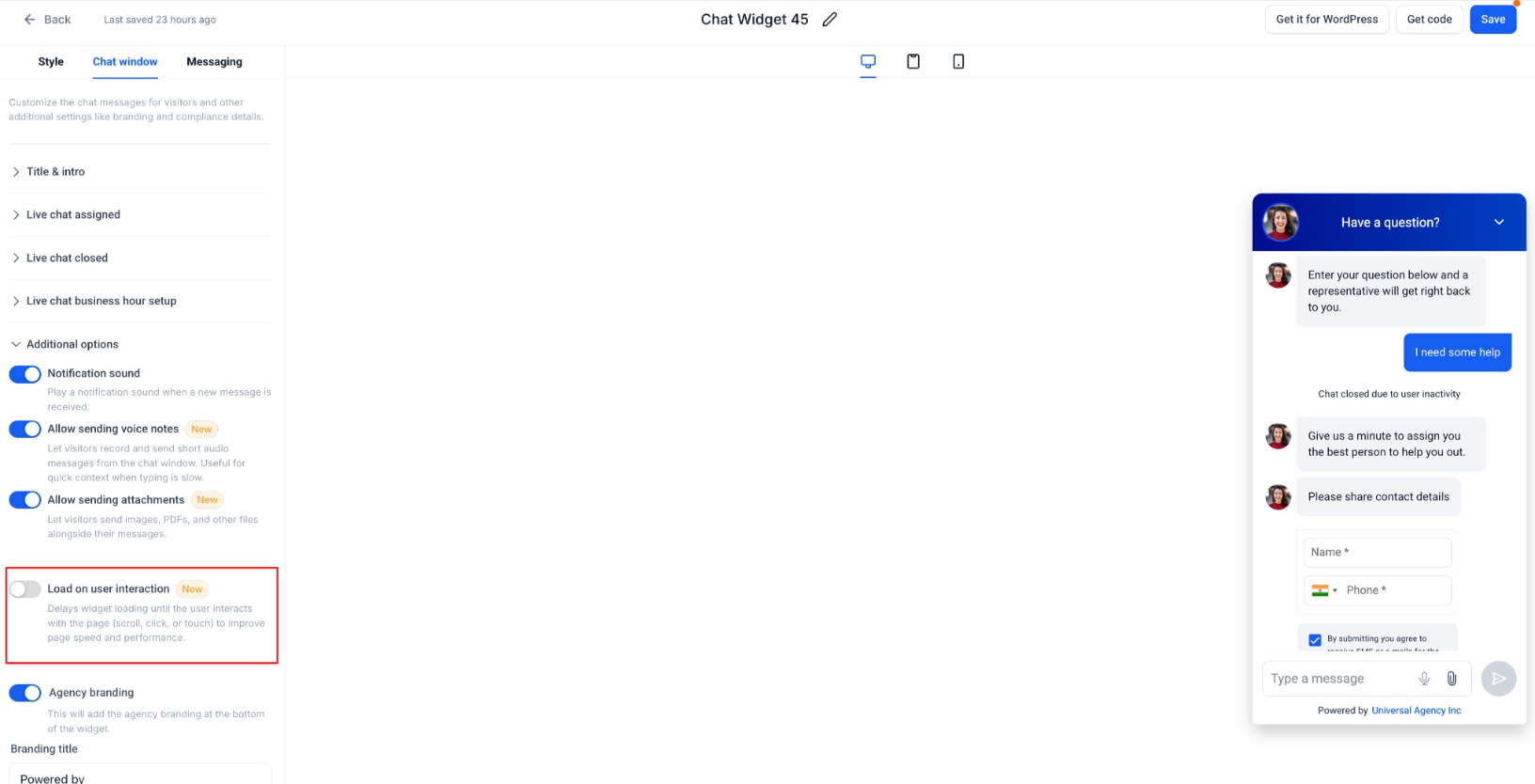
- Once enabled:
- The widget will load only after a visitor interactionsuch as:Scroll, Click or Touch interaction.
- If no interaction happens, the widget automatically loads after a fallback delay (~8 seconds).
- If the toggle is disabled or not configured:
- The chat widget loads immediately as per existing behaviour.
Why It Matters:
- Improves overall website performance by reducing immediate script execution during page load.
- Helps reduce blocking time and improves user experience, especially on mobile devices.
- Ensures the widget remains available for genuine visitors while minimising impact on page speed.
- Gives businesses more flexibility in balancing performance and customer engagement.
Notes:
- Existing widgets will continue using immediate load behaviour unless the setting is explicitly enabled.
- Applicable to customer-facing chat widgets only that are present on any digital property.
- Includes fallback auto-load behaviour to ensure widget availability even without interaction.
Was this article helpful?
That’s Great!
Thank you for your feedback
Sorry! We couldn't be helpful
Thank you for your feedback
Feedback sent
We appreciate your effort and will try to fix the article