We’re introducing a brand new way to collect authentic video reviews from your customers — now available in Labs!
Once enabled, you’ll find it inside
Reputation → Video Testimonials.
What’s New:
Create Video Collectors
Build customizable Video Collectors to collect testimonials through an engaging flow:
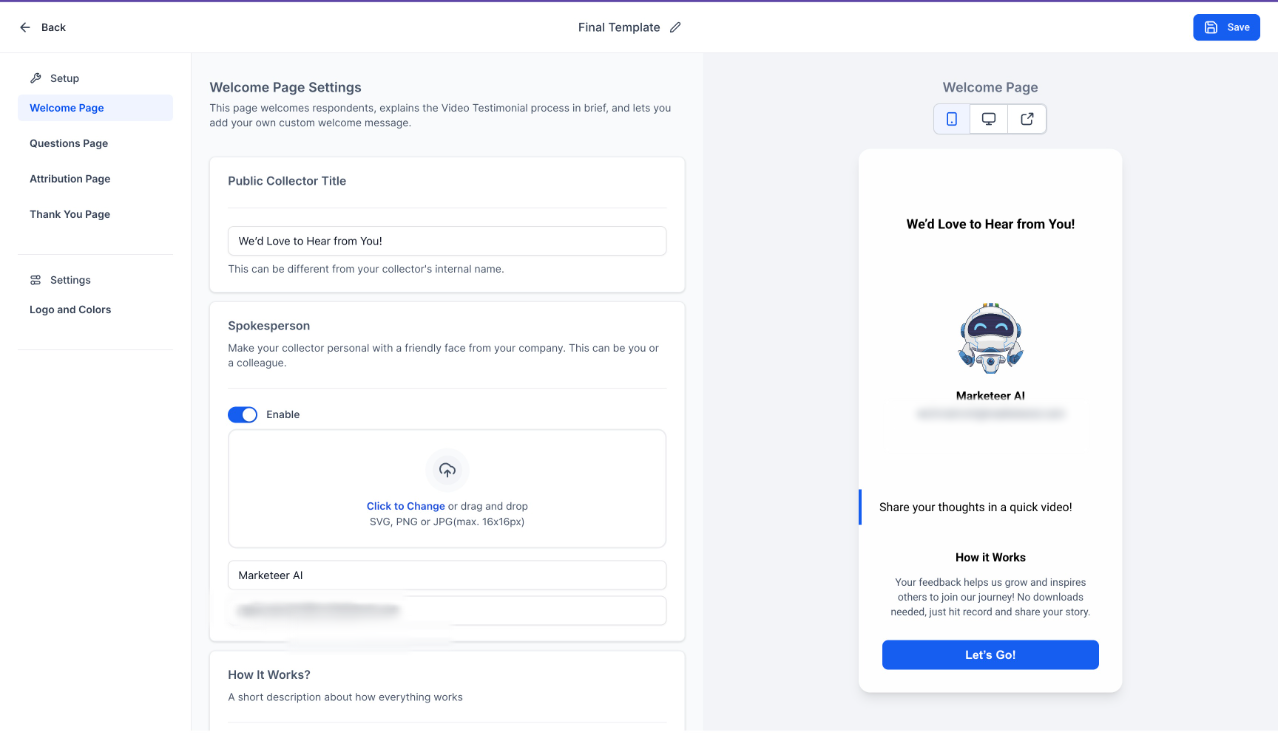
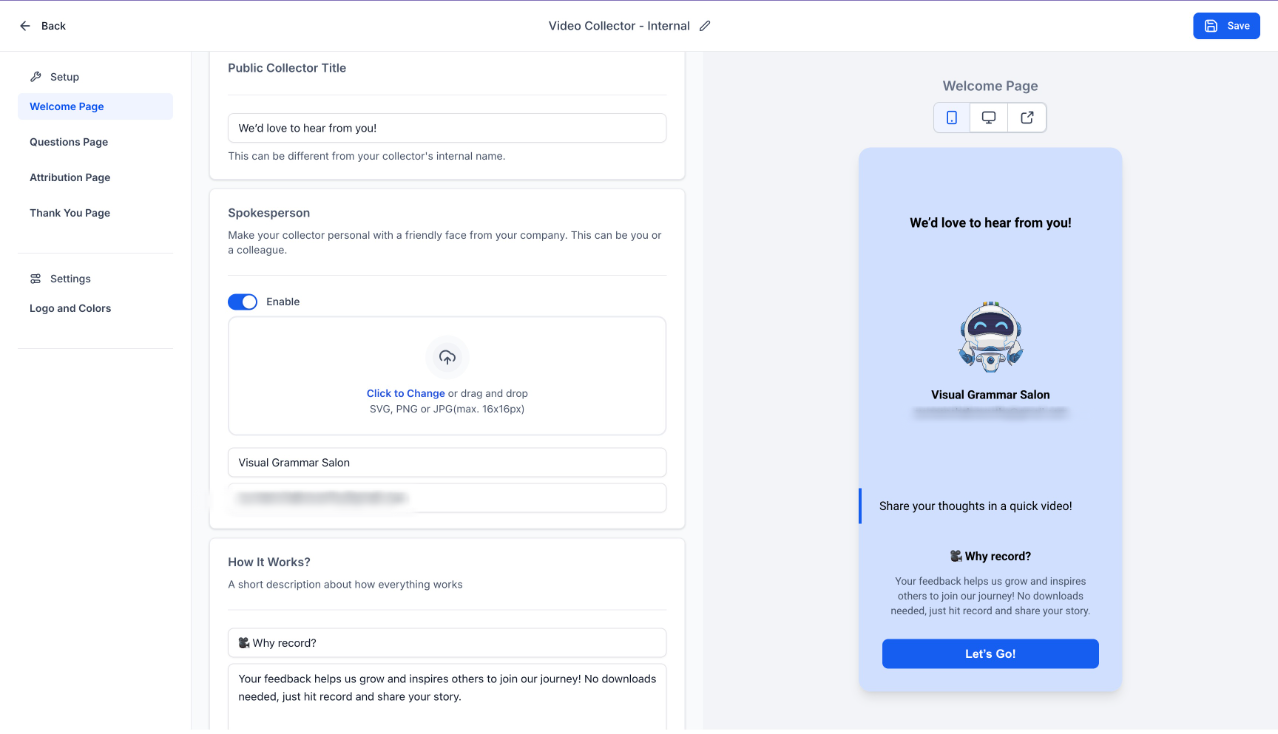
- Welcome Page – Introduce your business and invite participation.
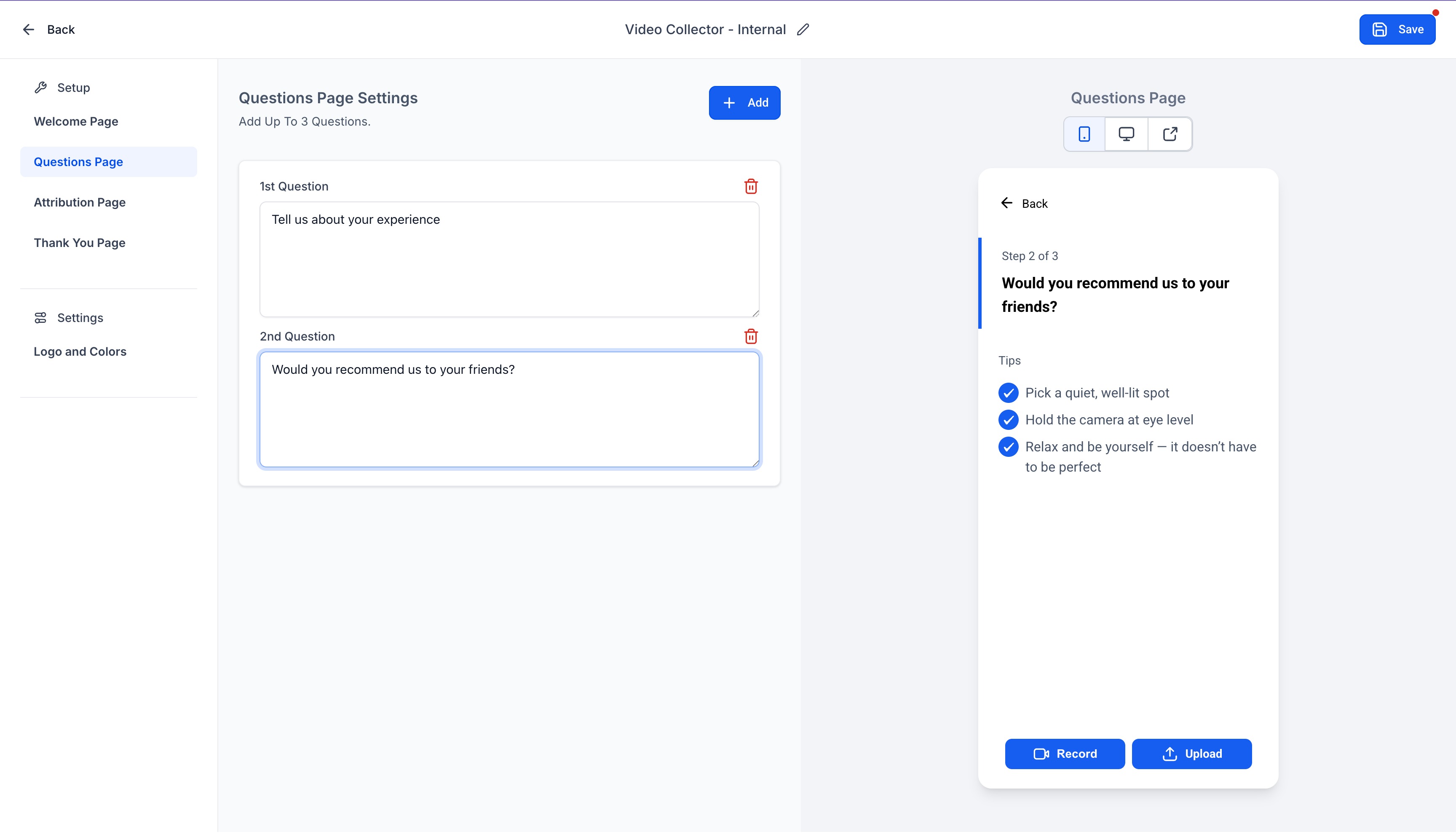
- Questionnaire Page – Add up to 3 questions to guide customers. Users respond to these 3 questions one after the other.
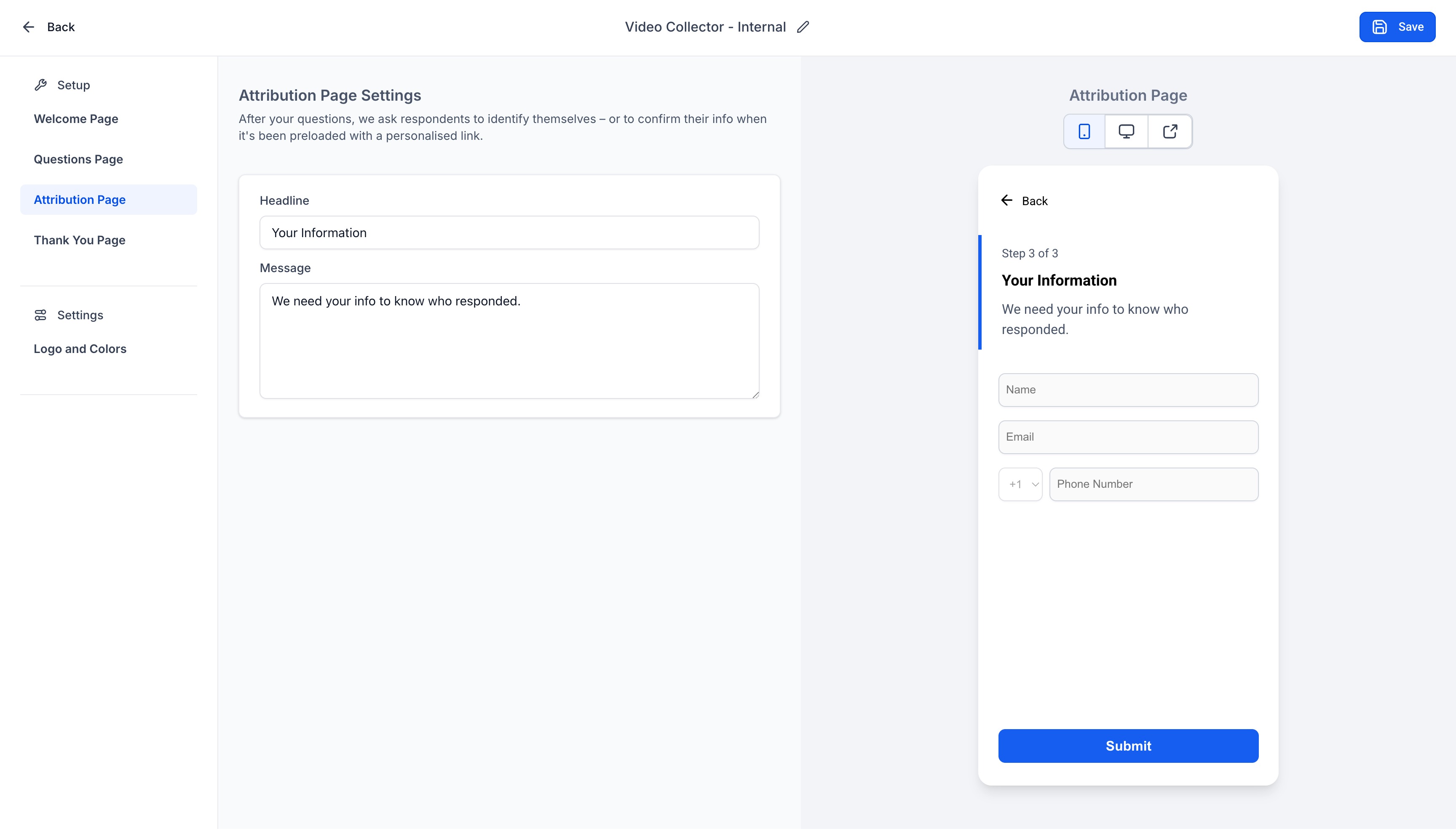
- Attribution Page – Collect their Name, Email, and Phone Number.
- Thank You Page – Fully customizable closing screen.
Each collector can be branded with your logo, and customized background, text, accent and button colours.
Manage Collectors with Ease
- Create unlimited collectors per location.
- Clone collectors or copy URLs or sent as a review request for quick sharing.
- View all collectors and their respective submissions inside the Video Collectors section.
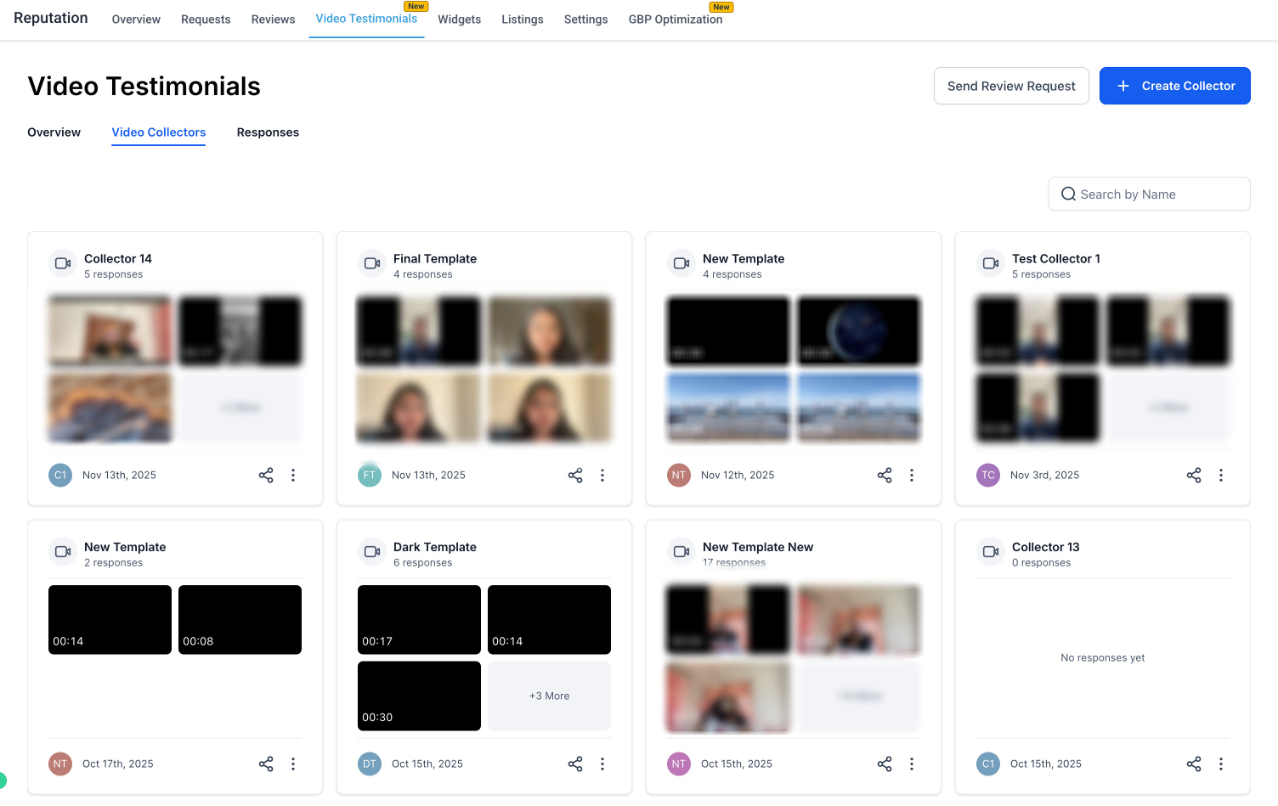
Send Video Review Requests
- Use the Send Review Request CTA to send a Video Collector link via Email, SMS, or WhatsApp.
- Choose a collector link from the Override Video Link dropdown.
- End users can record or upload videos directly from desktop or mobile — no app required!
- The Video Length is capped at 2 minute 30 seconds.
Manage and Download Responses
- All received videos appear in the Responses tab.
- Easily view and download video submissions.
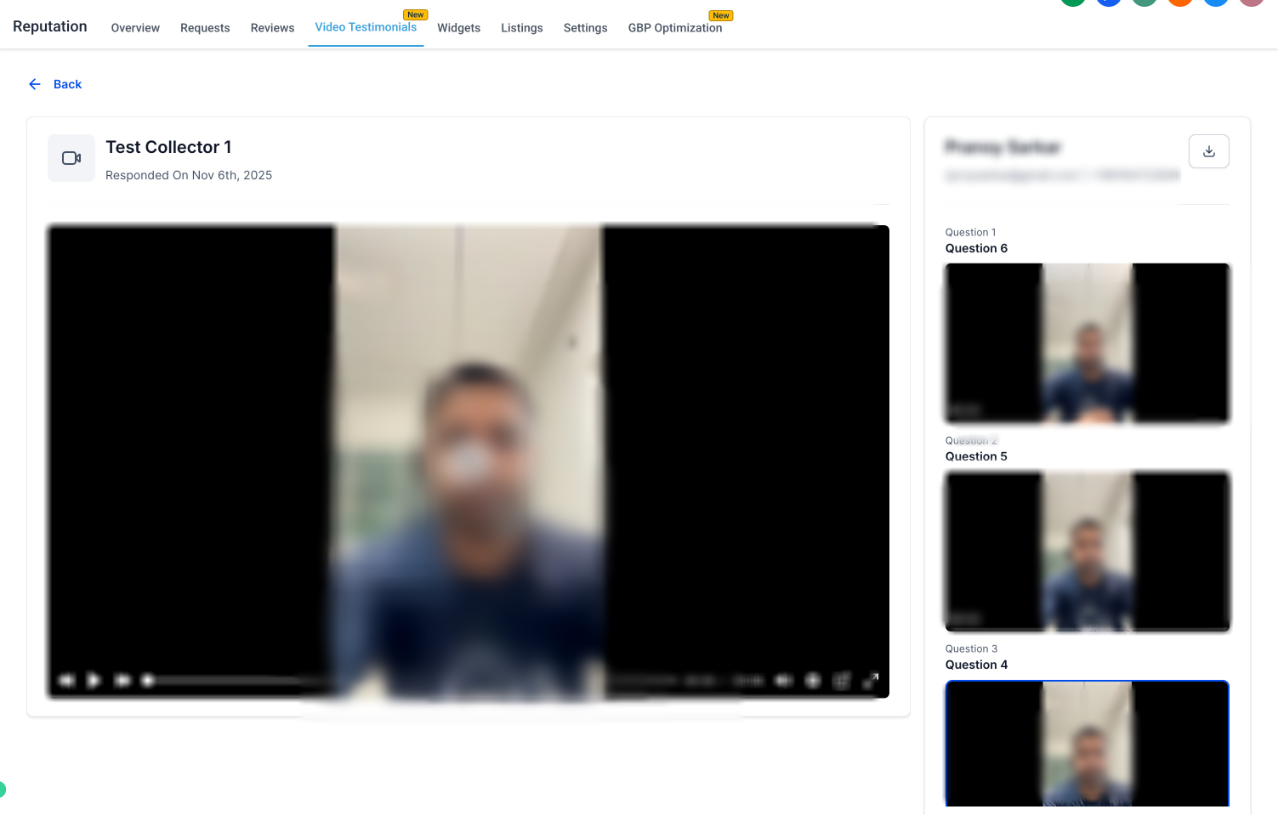
Showcase in Review Widgets
- Display your collected video testimonials right inside your Review Widget!
- Filter by collector to show specific video sets.
- Choose from multiple layouts: List, Carousel, Grid, Slider, or Column.
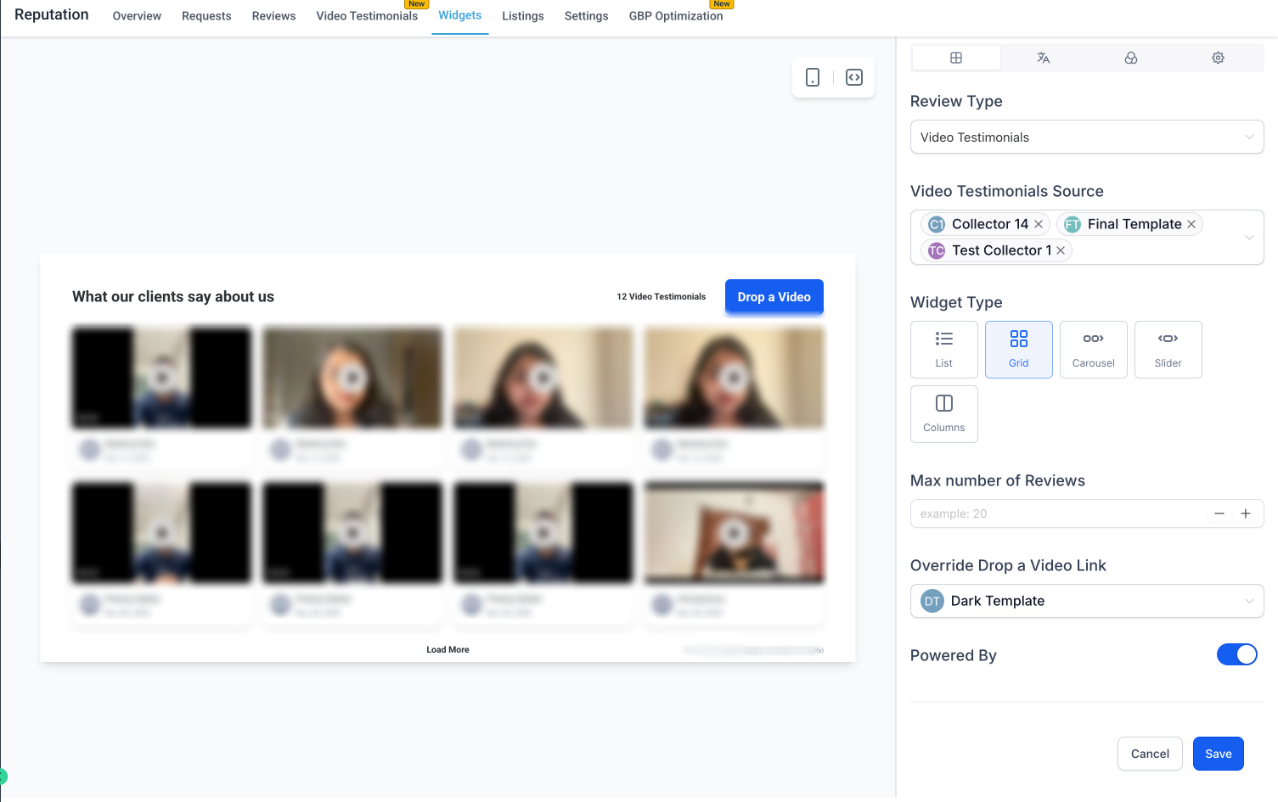
Available in Labs Now!
Head to Settings → Labs → Video Testimonials to enable it.
Once enabled, access it from
Reputation → Video Testimonials
to start collecting and showcasing video reviews.Was this article helpful?
That’s Great!
Thank you for your feedback
Sorry! We couldn't be helpful
Thank you for your feedback
Feedback sent
We appreciate your effort and will try to fix the article